|
DNS Server : Add Forward lookup Zone
2017/01/16 |
|
Add Forward lookup Zone.
|
|
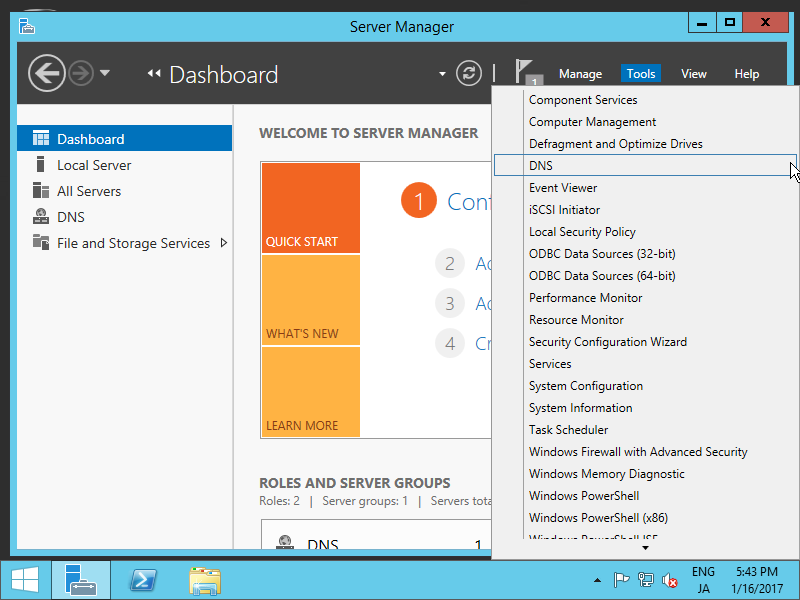
| [1] | Run Server Manager and select [Tools] - [DNS]. |
|
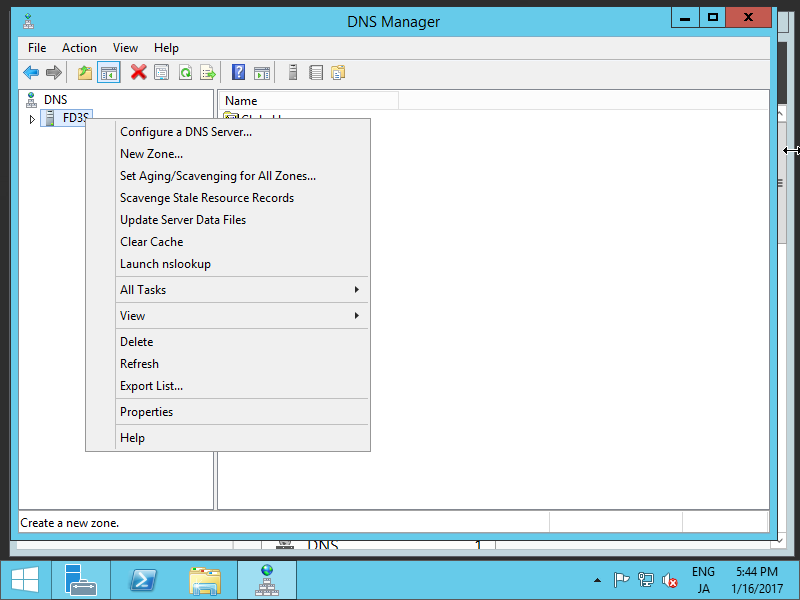
| [2] | Select own Hostname on the left pane and right-click the own Hostname to show menu on the left pane, then select [New Zone...]. |
|
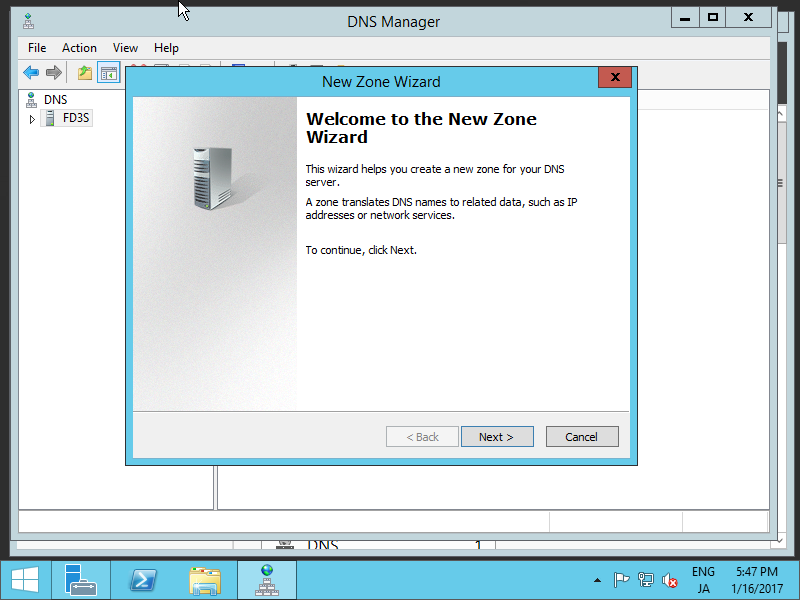
| [3] | Click [Next] button. |
|
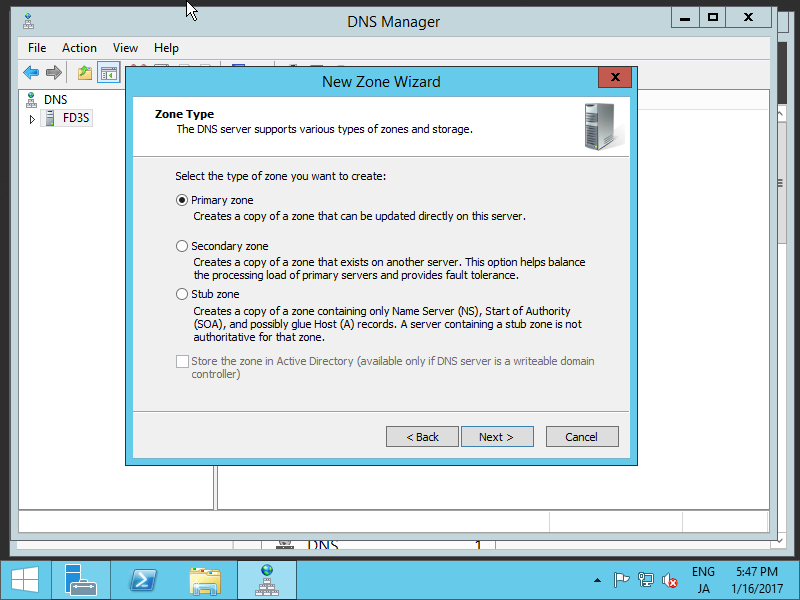
| [4] | Check a box [Primary zone] and click [Next] button. |
|
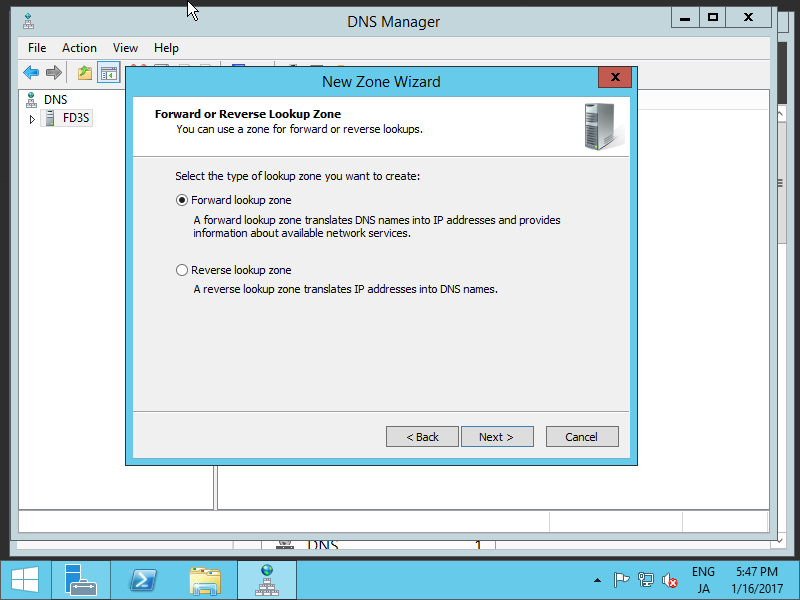
| [5] | Check a box [Forward lookup Zone] and click [Next] button. |
|
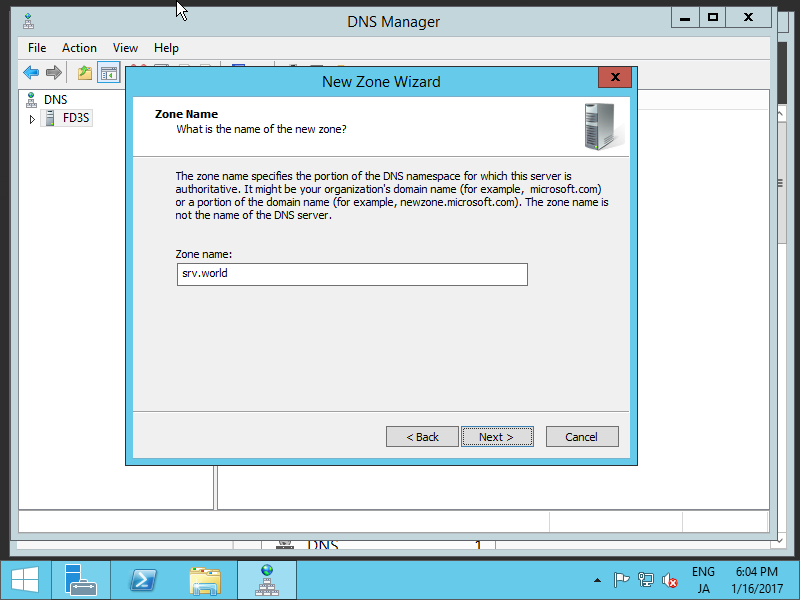
| [6] | Input Zone name. As the description on the screen-shot below, set domain name or portion of domain name for this zone name. |
|
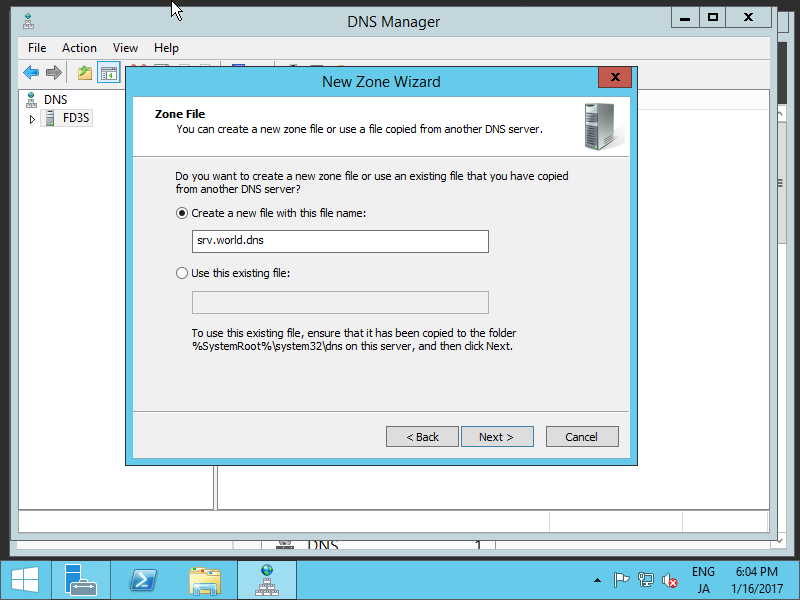
| [7] | Set zone-file-name and click [Next] button. It's OK to keep default for zone-file-name. |
|
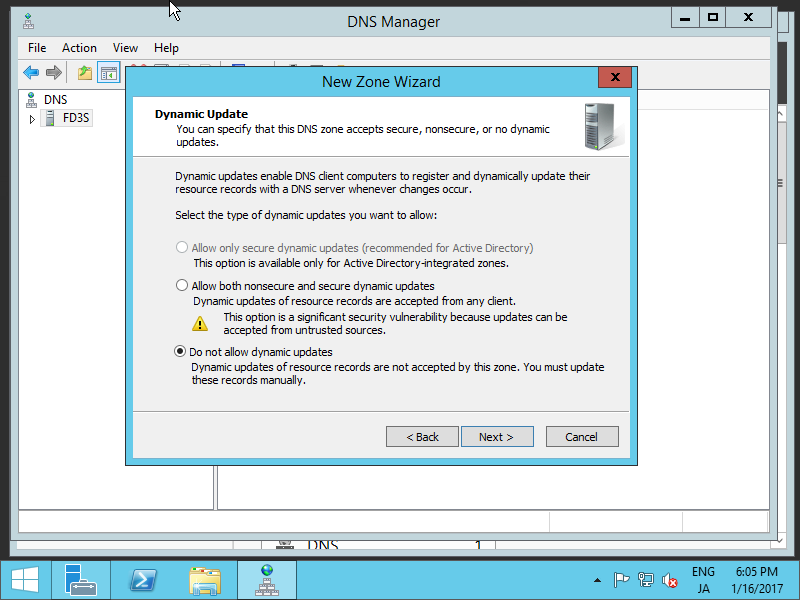
| [8] | Click [Next] button with keeping default. |
|
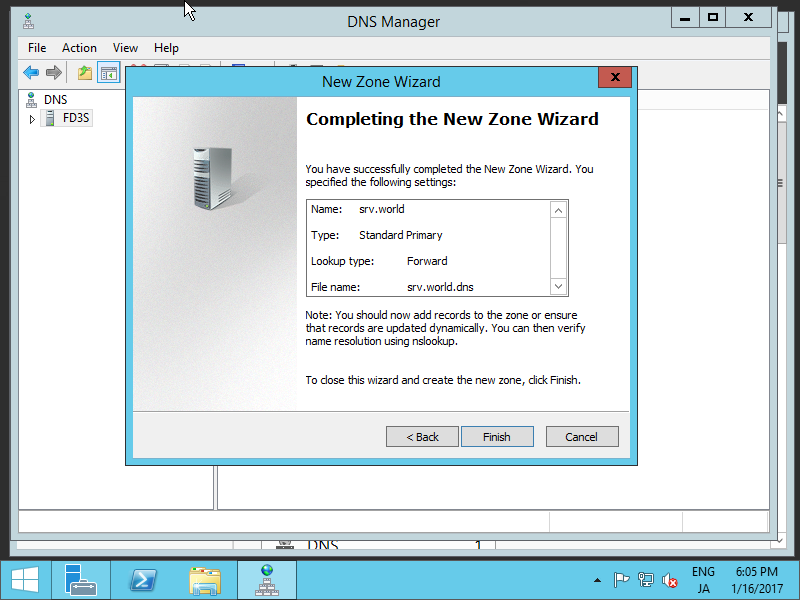
| [9] | Click [Finish] button. |
|
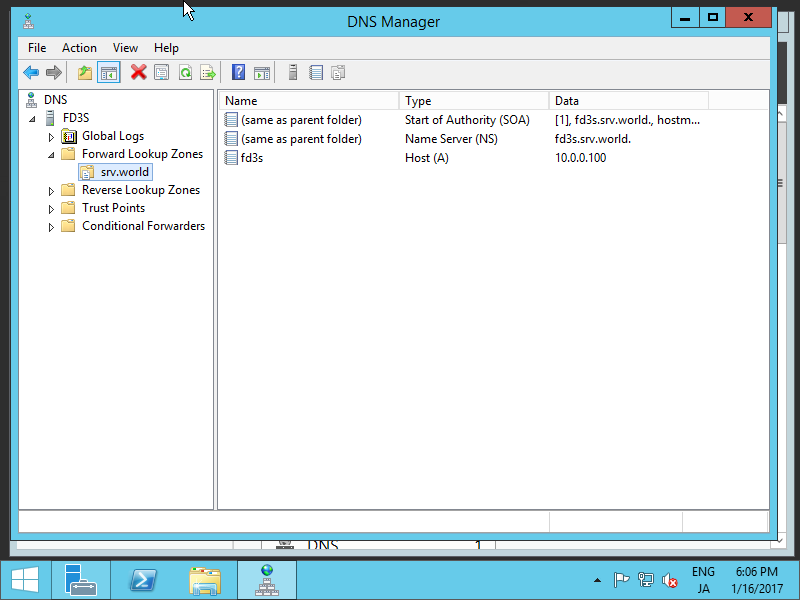
| [10] | A new zone has been created under the Forward lookup Zone. |
|